Loading...
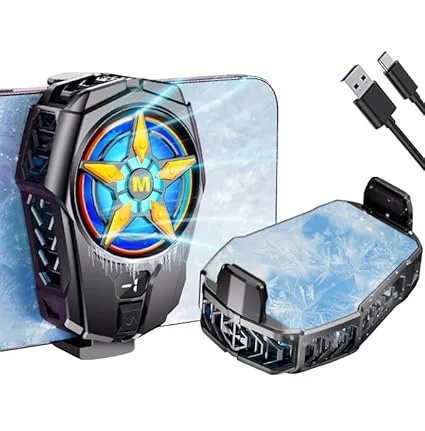
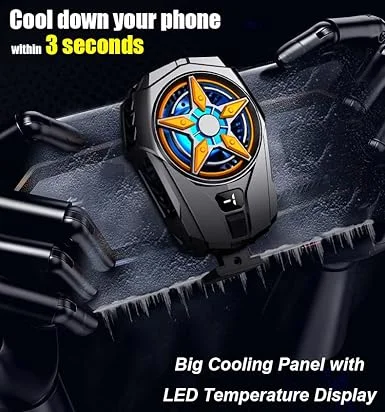
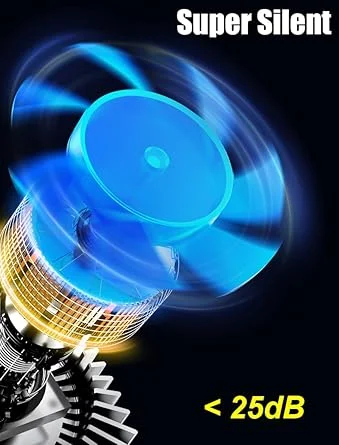
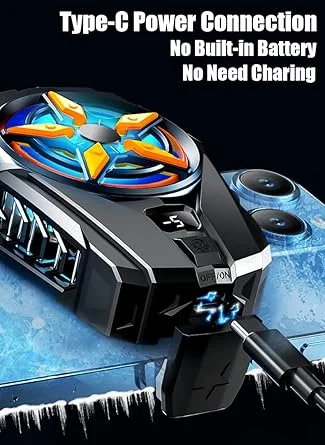
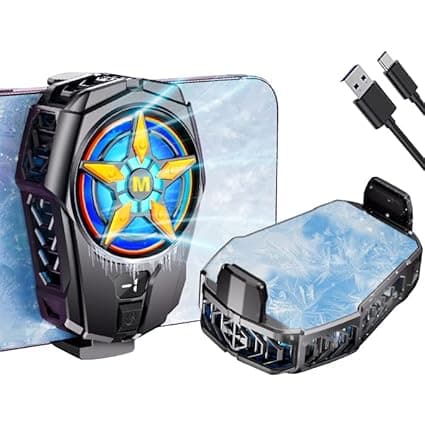
The Digital Wave Gaming Phone Cooler is the ultimate companion for mobile gamers who face the constant challenge of overheating during intense gaming sessions. Whether you're playing competitive titles like BGMI, Call of Duty Mobile or streaming content, this cooler ensures your smartphone stays cool, responsive and lag-free.
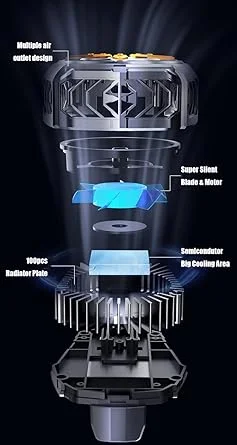
Using high-performance semiconductor technology, this clip-on cooling fan rapidly draws heat away from your device’s back panel. The result? A noticeable drop in temperature, smoother gameplay and a longer-lasting phone. It's designed for both iPhone and Android models, offering universal compatibility without compromising on design or performance.
Competitive Mobile Gamers: If you play fast-paced games for hours, this cooler helps avoid performance drops and overheating.
Streamers & Content Creators: For live streaming or screen recording sessions, a cooled phone ensures stability.
Long-session Users: For marathon mobile calls, video watching or multitasking — keep your phone thermally stable.
Power Users: Heavy multitaskers juggling apps, social media and games benefit from reduced thermal throttling.
Anyone Concerned About Device Lifespan: Sustained high temperatures reduce battery health over time. This cooler helps maintain cooler, healthier device performance.
Improved Performance & Stability
Overheating can cause stutters, frame drops or app crashes. The Digital Wave cooler maintains optimal temperature, enabling smoother gameplay and better performance.
Extended Device Lifespan
By keeping your phone’s internals cooler, you help preserve battery health and prevent thermal stress on components.
Reduced Lag and Throttling
High temperatures can throttle CPU/GPU speed. With effective cooling, throttle is minimised, maintaining peak performance.
Comfort During Use
No more burning-hot backs — the clip-on design disperses heat away from your hands, making long gaming sessions more comfortable.
Plug-and-Play Convenience
The cooler likely works via USB / Type-C power (based on similar products)—just plug it into a power bank or charger and clip it to your phone.
Safe & Reliable Design
Its build ensures a secure grip on the phone, and semiconductor-based cooling is more controlled and safe compared to simpler fan-only designs.
Brand: Digital Wave
Type: Mobile Phone Cooling Fan / Radiator
Compatibility: iPhone & Android
Mounting: Clip / Clamp
Cooling Technology: High-speed semiconductor (inferred from “fast cooling”)
Power Source: USB connection (inferred)
Design: Lightweight, portable
Note: Detailed specs like input voltage, current, cooling capacity (°C drop) are not publicly listed on the standard Amazon listing. For your ipshopy listing, if you can source these from manufacturer or supplier, include them to boost credibility.
Initial Setup
Unbox the cooler and attach it firmly to the back of your phone using its clip / clamp.
Connect the cooler to a stable power source via USB or Type-C cable (power bank, wall charger, etc.).
If there’s a speed or mode switch (if applicable), set to medium for initial use.
During Gameplay
Keep the clip firmly attached and avoid applying excessive pressure.
Ensure your power source delivers stable current; an unstable or low-power input may reduce cooling effectiveness.
Maintaining Efficiency
Clean the fan blades and contact surface regularly (every few weeks) to prevent dust buildup.
After long use in humid weather, wipe the cooler surface to avoid condensation.
Storage & Safety
Always unplug when not in use.
Avoid covering the fan vents when the cooler is running.
Keep away from liquids and direct heat sources.
1 × Digital Wave Gaming Phone Cooler
1 × USB / Type-C Power Cable
1 × User Manual / Quick Start Guide
Power Source: Use a reliable power source. A 10 W+ USB adapter or power bank with stable output is ideal for consistent cooling.
Phone Case: For best cooling, consider removing very thick or metallic phone cases — they can hamper heat transfer.
Use Duration: For long gaming sessions (1–3 hours), keep the fan on medium/high. For short use, a lower mode might suffice (if cooler supports multiple modes).
Avoid Condensation: In very humid conditions, check the cooler surface occasionally; wipe gently if moisture forms.